AI Zombie Trend Video Generator
Upload two photos and get the zombie love story video everyone is posting, with the two of you in the lead roles.
Photo 1
Becomes the zombie
Photo 2
The one who cannot let go
Uses 6 credits. Get credits
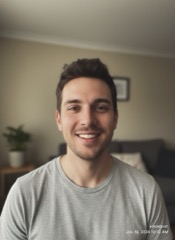

Made from these 2 photos
AI-generated characters
Make your zombie trend video in three steps
- Upload two photos. One of each person. Faces clearly visible, decent light, no sunglasses.
- Generate. Keep the default options or change them, then press the button. The AI casts both of you in a short love story set during a zombie outbreak: the look, the mood and the scenes are handled for you.
- Download and post. In about a minute you get a 12-second clip, vertical by default, sized for TikTok, Reels and Shorts.
What is the AI zombie trend?
It is a video trend on TikTok and Instagram. People upload two photos, usually of themselves and a partner, and an AI model turns them into a short, cinematic zombie love story. The appeal is seeing two familiar faces in something that looks like a movie trailer.
You do not need editing skills or a prompt. Two photos are enough.
What happens in the video
The story is the same every time, and that is the point:
- One of you has turned. They shuffle out of the dark as a zombie.
- The other one recognises them. They raise a weapon, in tears, and cannot go through with it.
- The hug. The weapon comes down, the arms open, and the zombie runs into the embrace.
- The memory. The instant you hug, the dark room turns into a bright, happy memory, and you are still holding each other.
No shot is fired and nobody gets hurt. It is a love story with a zombie in it, which is why some people call it the zombie hug trend.
Who makes these
- Couples. The original use: you and your partner as the leads.
- Best friends. Works just as well, and the comments are funnier.
- Anniversary and birthday posts. A change from the usual photo collage.
- Halloween content. The trend took off right before the season for it.
- Pet owners. There is a pet version: one photo of your pet, one of you.
Tips for a video that looks right
- Pick sharp, front-facing photos. The clearer the face, the more the characters look like you.
- One person per photo. Crop out anyone else.
- Match the lighting if you can. Two photos taken in similar light blend better in the same scene.
- Skip heavy filters. Beauty filters change the face the model sees.
- Run it again if needed. Each generation is different. A second take often fixes an odd shot.
How scary is it?
Not very. Think pale skin, dark eyes and a moody, end-of-the-world setting. There is no gore. It is made to be posted, not to shock.
Posting your video
The clip is vertical by default, so it fits TikTok, Instagram Reels and YouTube Shorts as is. Pick landscape if you want it for YouTube. Download the MP4 and upload it like any other video.
If you plan to add a trending sound in the app, choose the silent version before you generate.
Platforms now ask you to label AI-generated content. Tick that box when you post.
What it costs
Each video uses 4 to 10 credits, depending on the resolution you pick. Credits come in one-off packs starting at $7.99. There is no subscription and credits do not expire. If a generation fails, the credits go back to your balance automatically.
10 credits
Enough for one video at the highest quality.
One-time purchase. Credits never expire.
- 1 video in 1080p
- or 1 in 720p and 1 in 480p
- One-time payment, credits never expire
30 credits
Room for second takes, or a video with a friend.
One-time purchase. Credits never expire.
- 3 videos in 1080p
- or 5 videos in 720p
- One-time payment, credits never expire
100 credits
For the whole friend group.
One-time purchase. Credits never expire.
- 10 videos in 1080p
- or 16 videos in 720p
- One-time payment, credits never expire
Rules for photos
- Both people must be adults.
- Both people must have agreed to be in the video.
- Photos of celebrities and other public figures are not accepted.
- For the pet version, the first photo must show one pet on its own, with no people in it.
Every photo is checked automatically after upload. A photo that breaks these rules is rejected, and no credits are used.
FAQ
What is the zombie trend on TikTok?
An AI video trend where two photos become a short zombie love story: one person has turned, the other cannot hurt them, and it ends in a hug and a happy memory. People use it for couple posts, friend posts and Halloween content.
How do I do the AI zombie trend?
Upload one photo of each person here and press Generate. You get the finished clip to download. No editing app and no prompt writing needed.
Do I need two photos?
Yes. The trend is a story about two characters, so the generator needs one photo of each. That can be two people, or one photo of your pet and one of you.
How long does it take?
About a minute in most cases. Video models are slower than image models, so keep the tab open.
How long is the clip?
12 seconds, vertical or landscape, downloaded as an MP4.
Is it free?
No. Each video uses 4 to 10 credits, and the smallest credit pack is $7.99. Video generation is expensive to run, so every video is paid for with credits.
Is the video gory?
No. The zombie look is stylized and mild. It is safe to post on the main social platforms.
Can I use a photo of someone without asking?
No. Both people need to agree, and both need to be adults. Photos of celebrities and public figures are not accepted.
What happens to my photos?
Your photos are used to generate your video and nothing else. They are not shown publicly and they are not used to train models.
Can I post the video on TikTok or Instagram?
Yes. Label it as AI-generated where the platform asks.
Can I make it with my pet?
Yes. Choose the pet version, upload a photo of your pet on its own, then a photo of yourself. Your pet plays the one who has turned.
Can I get the video without sound?
Yes. The video has sound by default. Choose the silent version if you want to add your own audio in TikTok or Instagram.
Can I choose where the memory takes place?
Yes. The memory scene is a wheat field by default. You can switch it to snow or a beach before you generate.
What resolution is the video?
You choose between 480p, 720p and 1080p. 720p is the default, and higher resolutions use more credits.
Do I need an account?
Yes. You sign in with Google before you generate, so your credits are tied to your account.
Do I need to install anything?
No. It runs in your browser on a phone or a computer.