The Zombie Trend Prompt, Explained
The prompt behind this trend is long and easy to get wrong, so it is already built in here: you upload two photos and skip the typing.
Photo 1
Becomes the zombie
Photo 2
The one who cannot let go
Uses 6 credits. Get credits
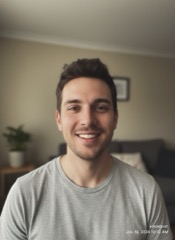
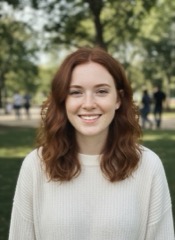
Made from these 2 photos
AI-generated characters
What a zombie trend prompt has to describe
A prompt for this video is closer to a short film script than to a one-line request. It has to pin down four scenes, in order, inside 12 seconds:
- The entrance. A dim, abandoned cabin. One character shuffles out of the dark as a zombie: slumped shoulders, tilted head, pale skin, clouded eyes.
- The recognition. The other character raises an old rifle, sees who it is, and breaks down in tears.
- The choice. The rifle is dropped. Arms open. The zombie rushes forward.
- The memory. At the moment of the hug, the cabin turns into a bright memory and the zombie is their old self again. The two keep holding each other.
On top of the scenes, the prompt needs to say what must not happen: no shot fired, no blood, no wounds, no biting.
Why hand-written prompts go wrong
- The faces drift. Text cannot describe a face. Unless both photos are passed to the model as references for each character, you get two strangers.
- Horror creeps in. The word zombie pulls a model toward blood and injuries. Without firm limits, the clip can be too graphic to post, or can be refused before it is made.
- The timing slips. Four scenes in 12 seconds leaves about three seconds each. Models tend to linger on the first scene and never reach the hug.
- The ending gets lost. The cut from the dark room to the memory is the part people share. It is also the part a loose prompt most often skips.
Each failed attempt costs time and usually money, which is why most people stop after a few tries.
How it works here instead
The scenes, the limits and the timing are fixed in advance. Your two photos are used as the reference for the two characters. What is left for you are choices, not wording:
- Who is in it. Two people, or the pet version.
- Where the memory takes place. A wheat field, snow or a beach.
- Sound. With sound, or silent so you can add your own audio.
- Shape and size. Vertical or landscape, in 480p, 720p or 1080p.
Press Generate and the clip is ready in about a minute.
Prompt or generator: which one to use
- Write your own prompt if you want a different story, you already pay for a video model, and you do not mind several attempts.
- Use the generator if you want the version people are posting, with your own faces in it, on the first try.
FAQ
What is the zombie trend prompt?
It is the text instruction that tells an AI video model to make the zombie love story clip: a zombie appears, the other person cannot hurt them, they hug, and the scene turns into a happy memory. Different creators use different wording for the same four scenes.
Can I see or edit the prompt used here?
No. The prompt is fixed so that every video follows the same story and never shows blood or injuries. You change the result through the options: cast, memory scene, sound, orientation and resolution.
Why does my own prompt come out gory or get blocked?
Zombie imagery leans toward horror by default, and video models apply safety filters to violent scenes. A prompt needs explicit limits, such as no blood and no shot fired, to stay inside what the model will produce and what platforms will show.
Do I need a prompt to use this page?
No. Upload one photo of each person, choose your options and generate.
How much does a video cost here?
Each video uses 4 to 10 credits, depending on resolution. Credit packs start at $7.99.